


PrintExp Motherboard Serial Number Recovery (MB Serial Starts With 0000) – Fix “Mainboard is not initialised”
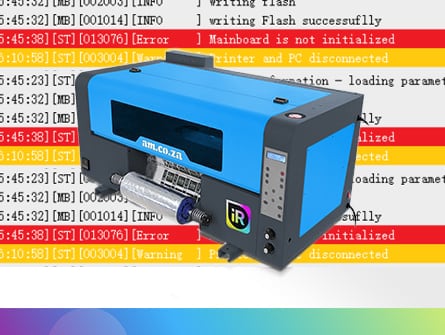
If your PrintExp printer can initialise and print a nozzle test, but fails when printing any job with errors like “Mainboard is not initialised”, it usually means the motherboard serial data (MB Serial Number) has been lost. A common sign is that MB Serial Number starts with 0000 in PrintExp → Advanced → Version Info (and often other key fields show zeros too). This article explains the typical symptoms and causes (including the red reset switch), what information we need to attempt recovery, the expected turnaround, and how the authorisation code file is loaded to restore the serial number and get your PrintExp system printing normally again.
The symptoms:
The printer can correctly initialise, and can also successfully print nozzle test, but when print any file, it gives an error message about motherboard failed to initialise. e.g. a typical message of “Mainboard is not initialised“

Verify the Issue:
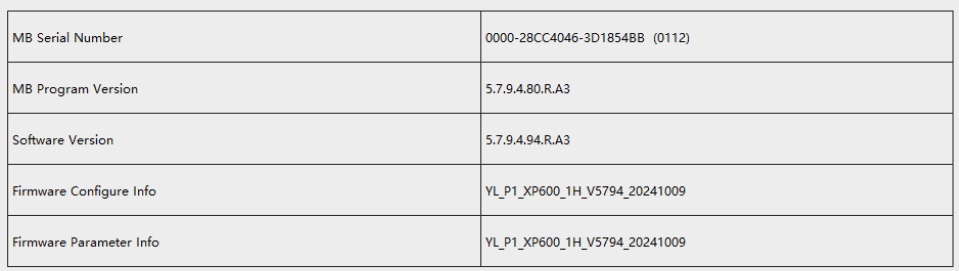
At PrintExp software, “Advanced -> Version Info“, you will see “MB Serial Number” start with 0000
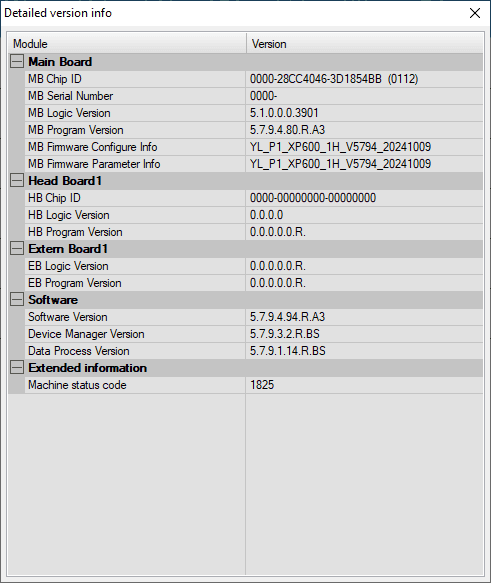
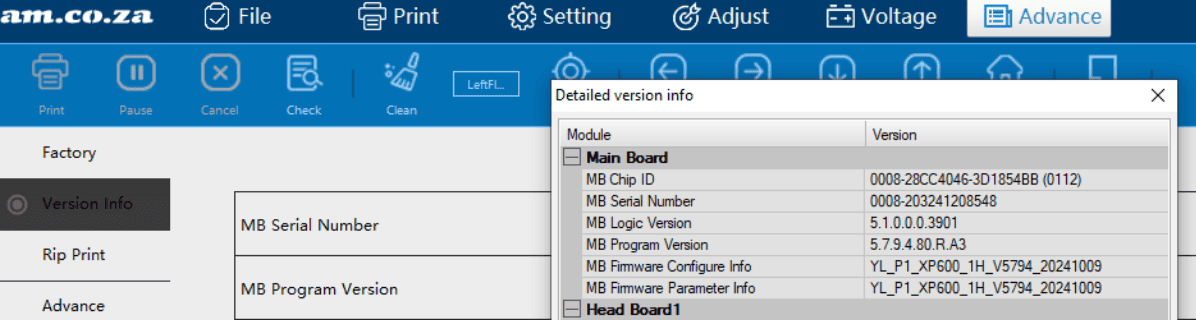
if you check “Advanced -> Version Info -> Details“, you will also see MB Serial Number start with 0000, and many more places with zeros, which is a sign of many key information lost.
The Cause:
Possible causes for error.
- Bought a motherboard not from us
- Battery dead (unlikely)
- Fiddled with the red reset switch (most case)
- Other mysterious reason we have not yet discovered

To discover other causes
We will need to investigate the device and will levy a charge.
The Cost:
We will levy charge:
| x_reset_printexp,price |
| x_reset_printexp,name |
| (x_reset_printexp,sku) |
If we are able to recover, no charge for failed attempts.
The Info We needed:
1. Software version
the PrintExp version you are using, get at “Advanced -> Version Info“,
the “Software Version” e.g. Software version: 5.7.9.94.R.A3

2. Motherboard ID and Type
Find and provide these numbers on these locations
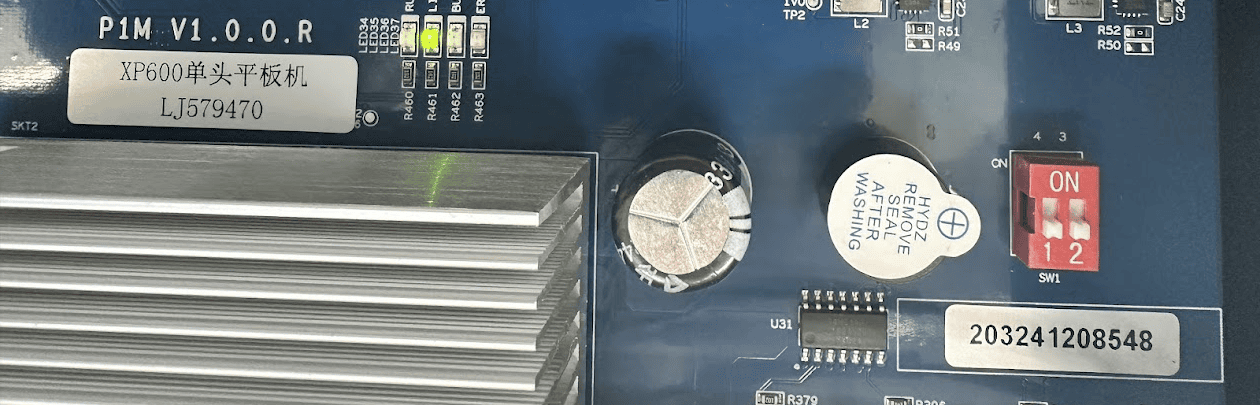
On motherboard, eg:
Motherboard ID: 203241208548
Motherboard Type: XP600单头平板机 LJ579470
3. Application Code:
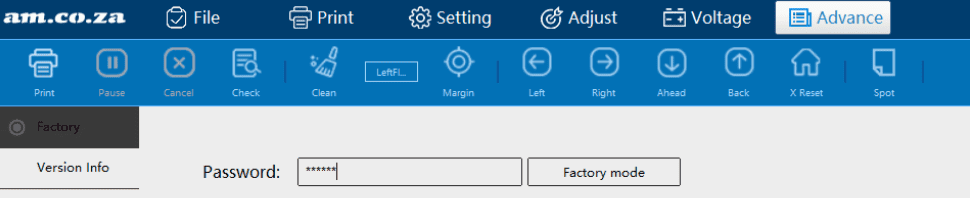
Get into Factory mode (from Advanced -> Factory), ask your support for Password:

Click “Reset mainboard‘ under “Firmware“
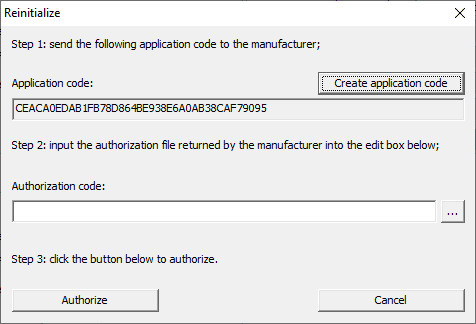
Then in the “Reinitialise” window that popped out, click “Create application code“, e.g. CEACA0EDAB1FB78D864BE938E6A0AB38CAF79095 (example) then send the info to printexp@am.co.za
Please copy past the following to email and then provide info of your machine:
Order Reference:
Machine Type (SKU):
Machine Barcode:
Software version:
Motherboard ID:
Motherboard Type:
Application Code:
If can not copy paste – please type out “Motherboard Type” because of foreign characters (you can also can attach a clear photo with the email)
What will happen next:
If we are able to locate your purchase, then we will send above info to developer of PrintExp motherboard – they will provide an Authorization code back to us – this usually takes around 2-3 working days to get an authorisation code file back to us, e.g.

Once you get the file back from us, load this “Authorization code” by the 3 dots button

then click “Authorise”, if successful, you will see “Reinitialise successful!” message.

then reboot and verify if serial number is back
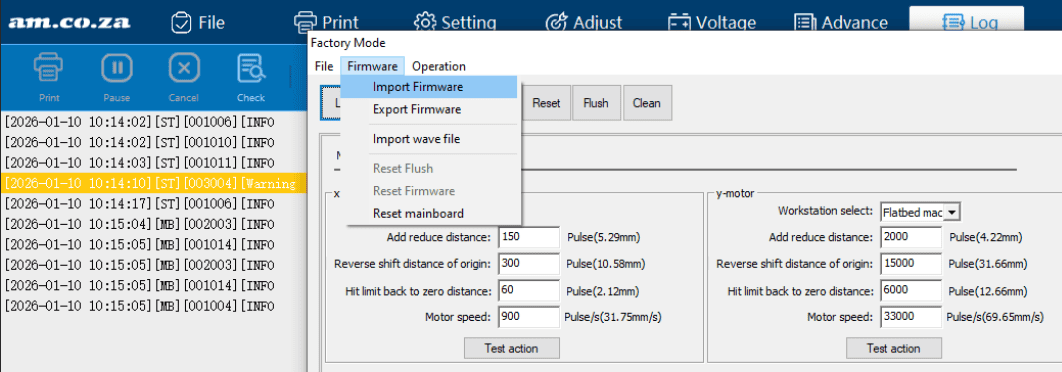
then import the firmware back (you can either import from previous export, or download a common one from cncu.co.za website (consult with your support for best suitable ones)
Then lastly once complete, we will send you invoice for the recovery excise. And hopefully you won’t fiddle with the red reset switch anymore :-)